
The milk stash is your stored breast milk, bag by bag. Milk gets in two ways: straight from a pump session (see Pump and feed at the same time), or added here.
Open the Stash tab
Tap Stash at the bottom. The top shows how much is stored and where. Use first lists what to use next, and By location lists every bag in each place.
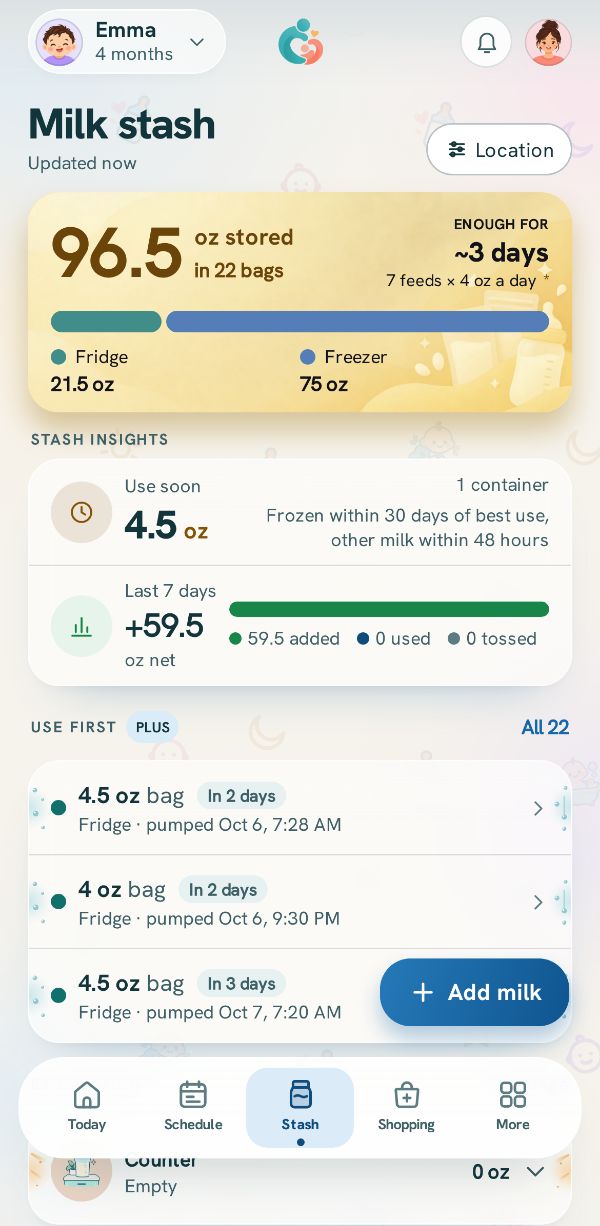
Tap Add milk
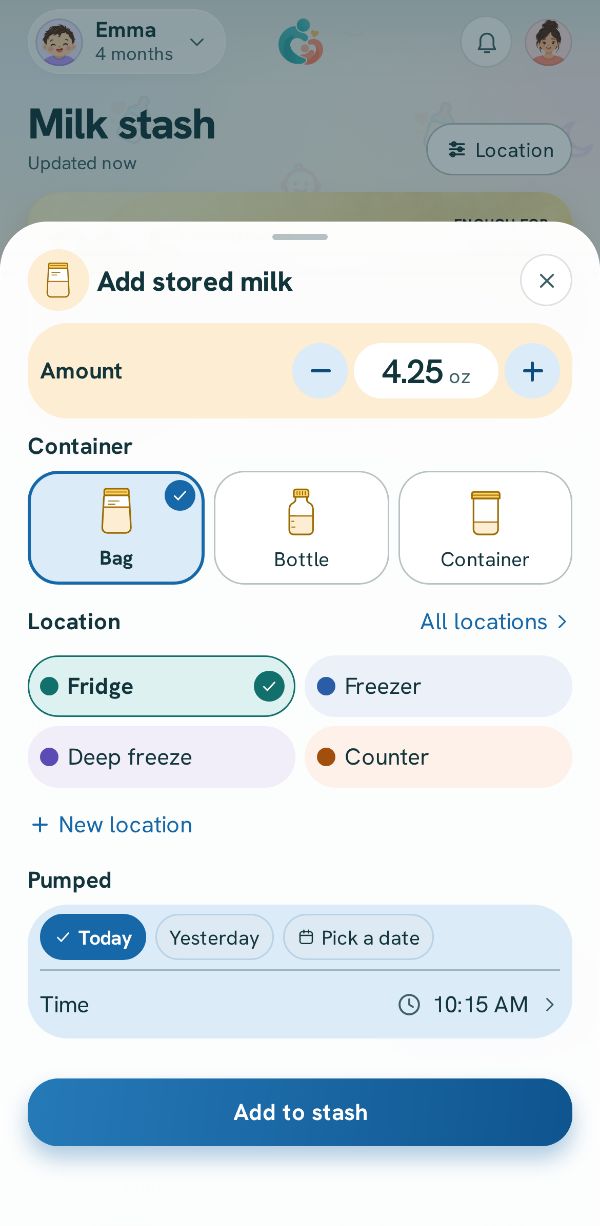
Set the Amount, pick Bag, Bottle or Container, and where it is kept. Under Pumped, say when it was pumped, which is what its storage window counts from. Tap Add to stash.
Related guides
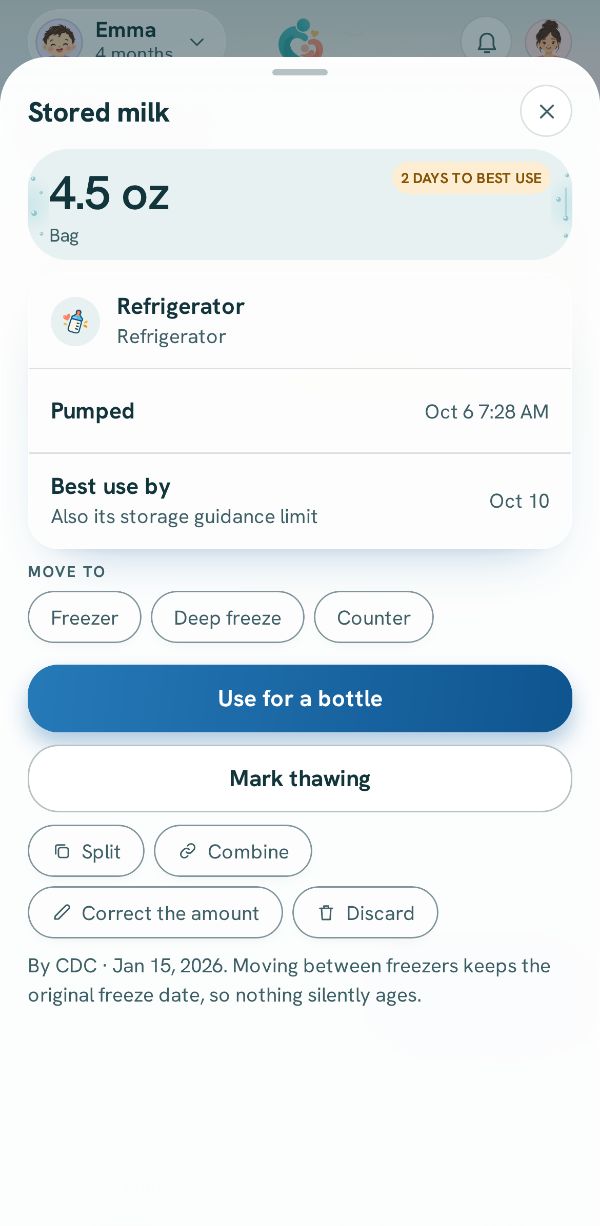 Use, move or throw out a bagOpen a bag to pour a bottle from it, move it between fridge and freezer, mark it thawing, or discard it.
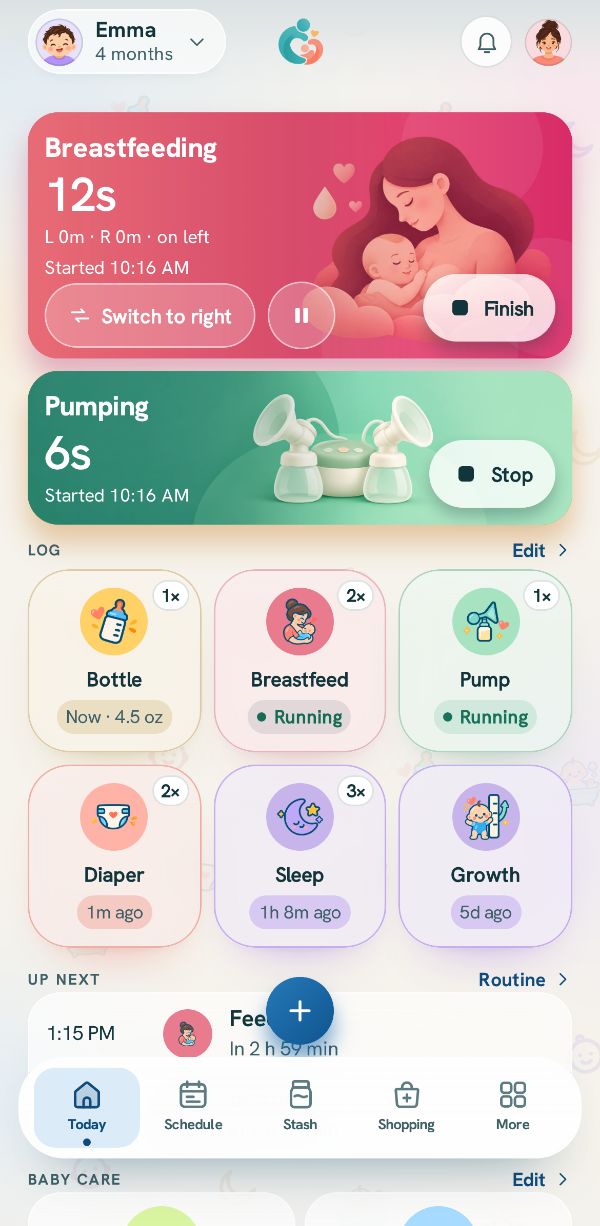 Pump and feed at the same timeThree real situations, step by step: a bottle straight from the pump, nursing on one side while pumping the other, and a bottle from the stash while you pump.
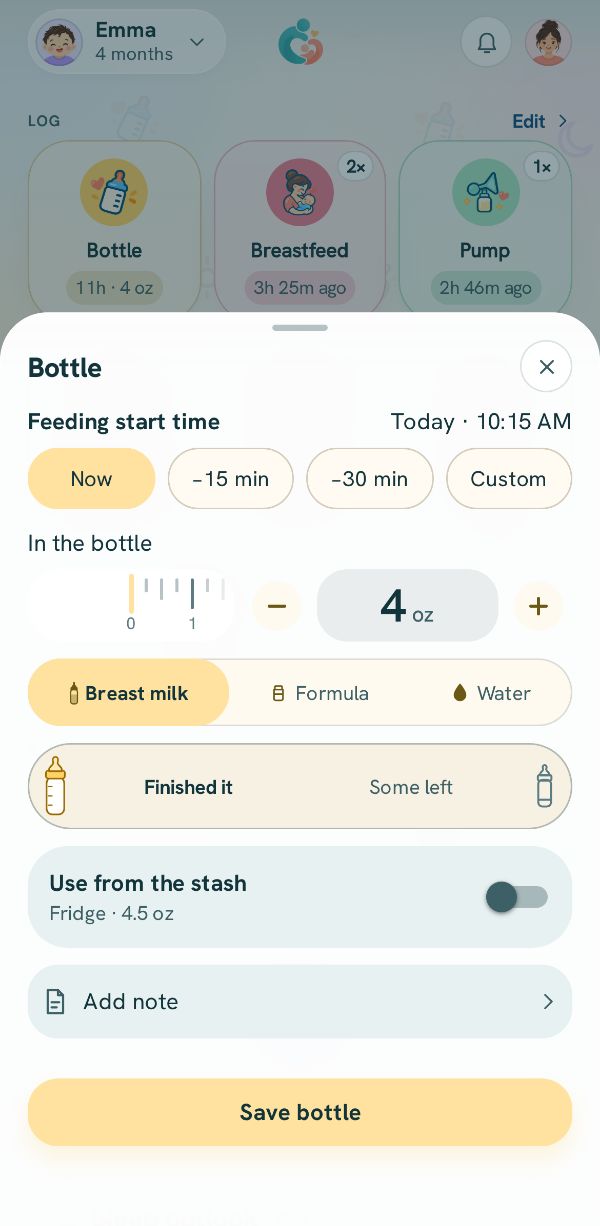 Log a bottleHow much, what kind, and what was left, from a bottle you made or from the milk stash.