


















Features

Everything CuddleCue does.

From before the birth and every day after. Tap any feature to see what it does.

Free on every planPlus with CuddleCue Plus, free for 14 days when you start them
Before the birth

Baby on the way? Start getting ready.

Set up while you wait, together on your own phones. When your baby arrives, the same app runs the day.

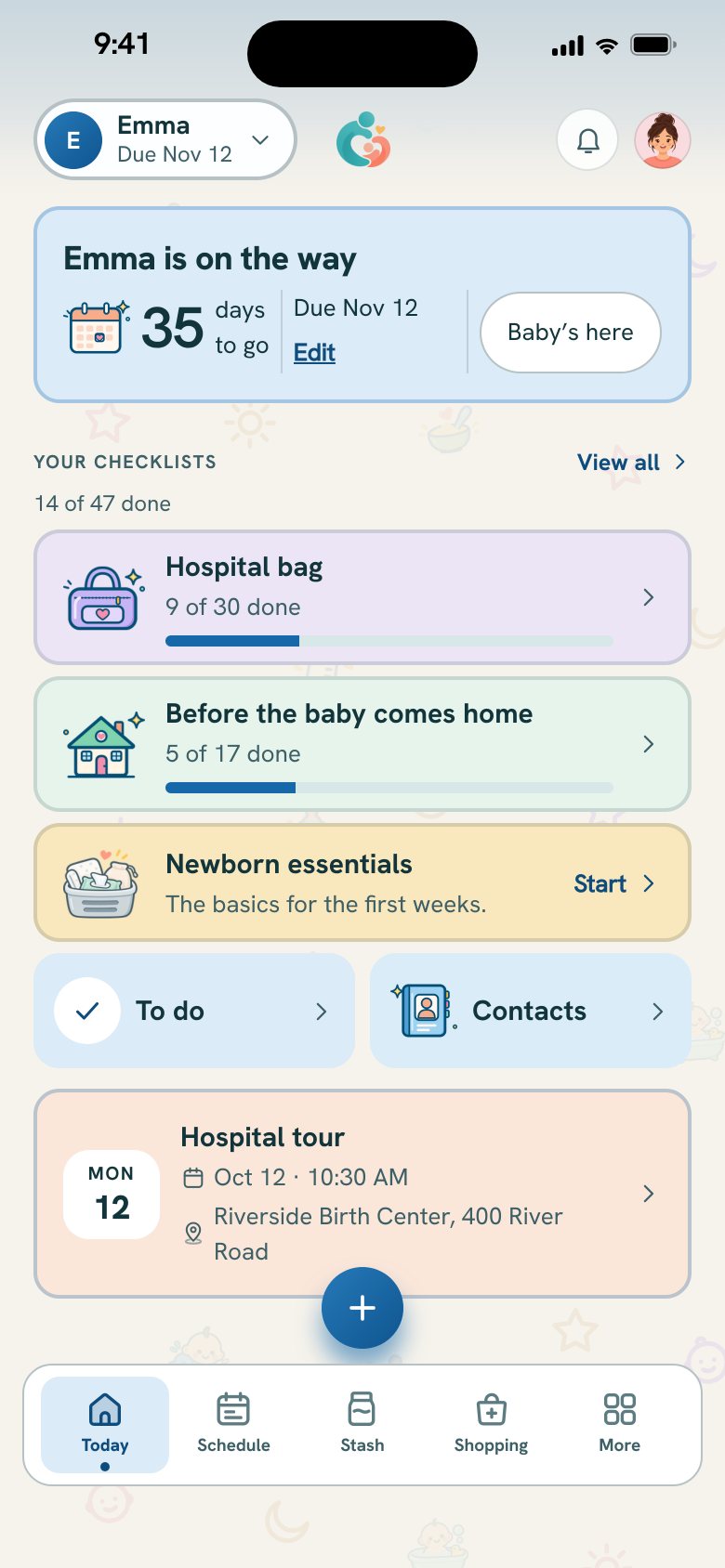
Today before the birth: Emma is on the way, 35 days to go, the checklists and the hospital tour.
  • A countdown to your due date

    Today shows the days to go, and the due date is one tap to change.

    Free
  • Hospital bag checklist

    What to pack for you, your baby and your partner, in folding sections, ticked off together.

    Free
  • Getting home ready

    Before the baby comes home: the car seat, the crib or bassinet, the first clothes washed.

    Free
  • Newborn essentials and starter packs

    The basics for the first weeks, and whole starter packs to add to the shopping list in one tap.

    Free
  • Share the jobs

    Give an item to one of you, with a target date counted back from your due date, or mark it not needed.

    Free
  • Appointments, with a reminder

    The hospital tour and every visit, with a reminder at its own time, directions and who is going.

    Free
  • Contacts

    The numbers you will want close, with call and directions.

    Free
  • Colostrum in the milk stash

    Pumping before the birth? The stash keeps colostrum syringes, in whole milliliters.

    Free
  • The baby is here

    Baby’s here records the birth, confirmed once more, and Today becomes your baby’s day.

    Free
  • A keepsake of getting ready

    After the birth, the lists and plans from before it, kept as a keepsake. Every line stays in the free download.

    Plus
Logging

Log anything, with one hand.

Every sheet opens on what you need, with big targets and no typing unless you want to. Each entry saves on your phone first, so nothing waits for a signal.

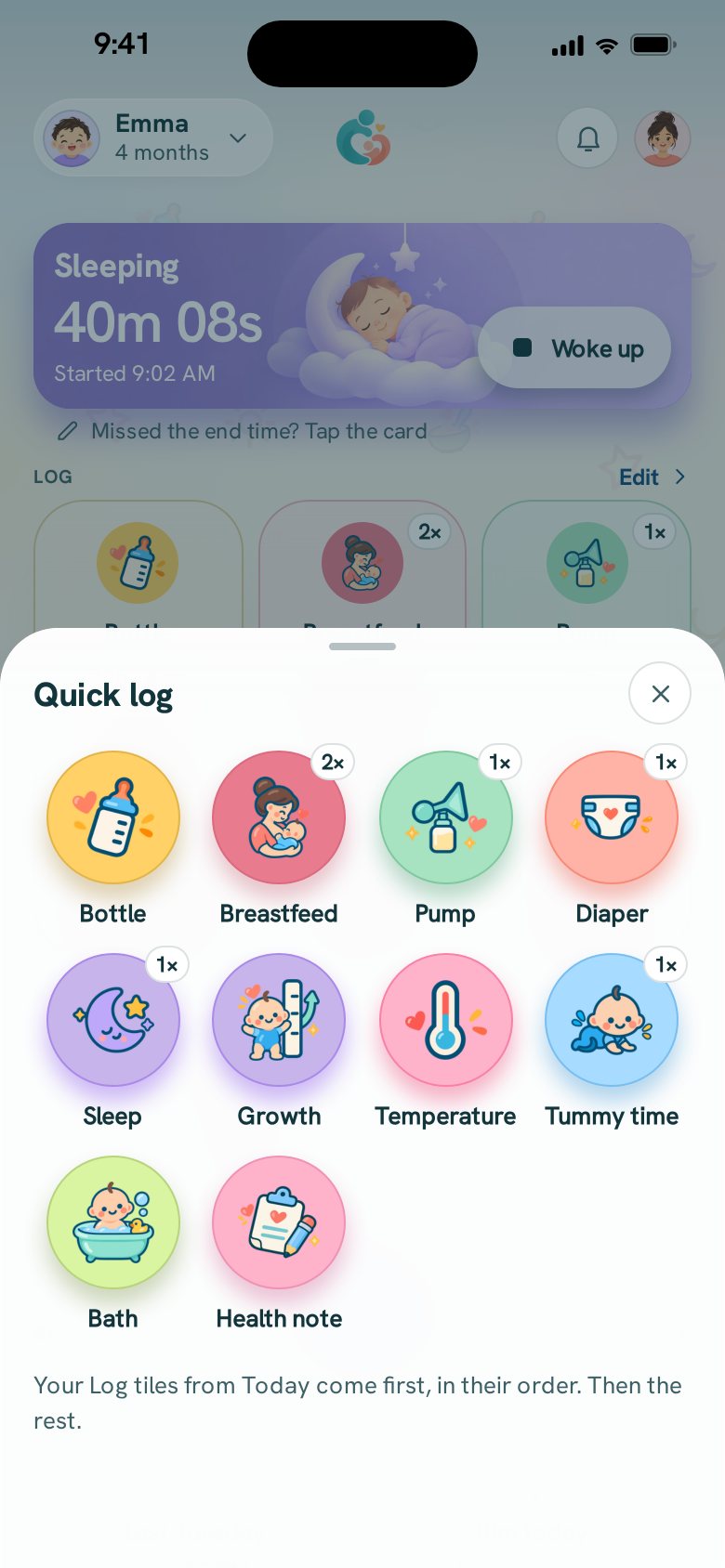
The + button’s grid: every kind of entry the family logs, one tap each.
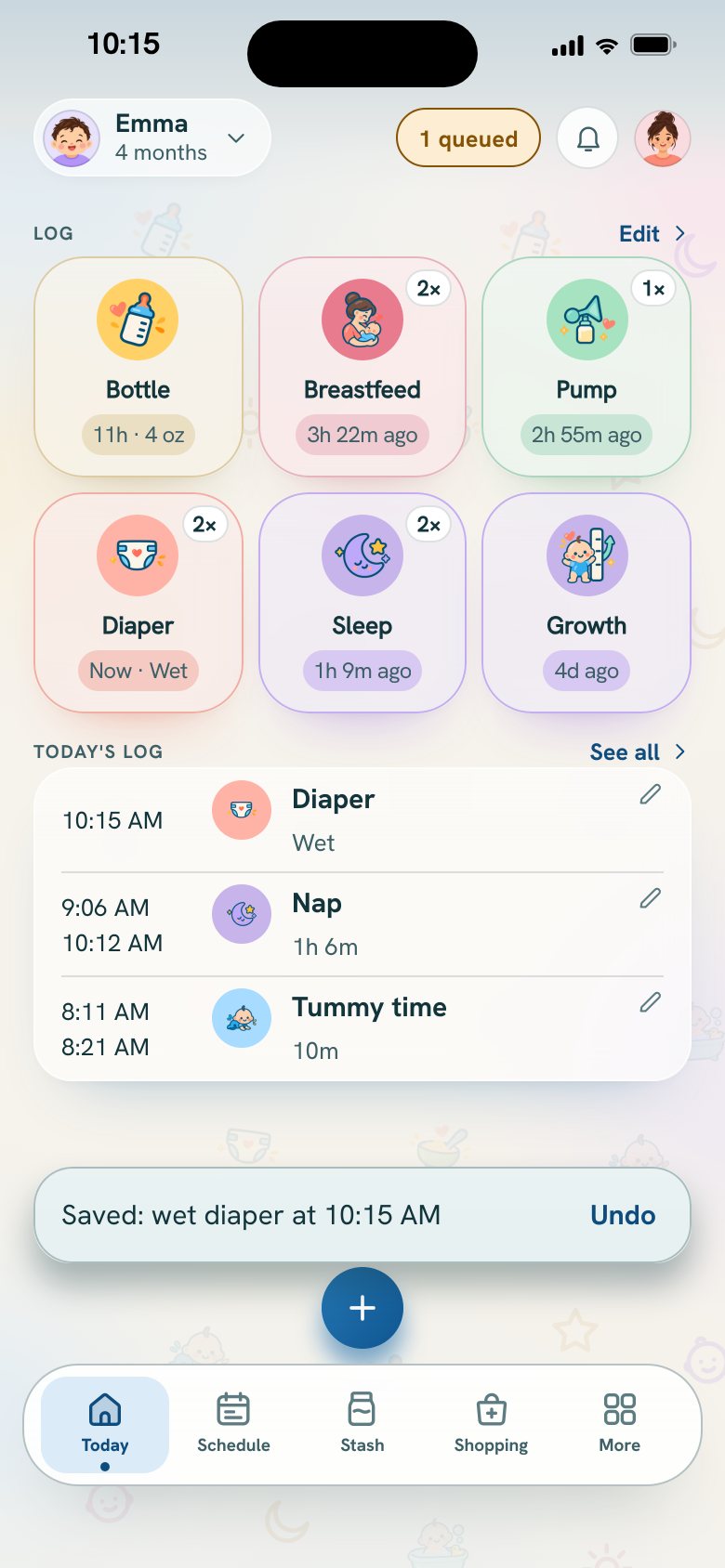
Logging in airplane mode: the diaper is saved on the phone and waits to be shared.
  • Breastfeeding

    Time each side, switch with a tap, and see which side the last feed started on.

    Free
  • Bottles

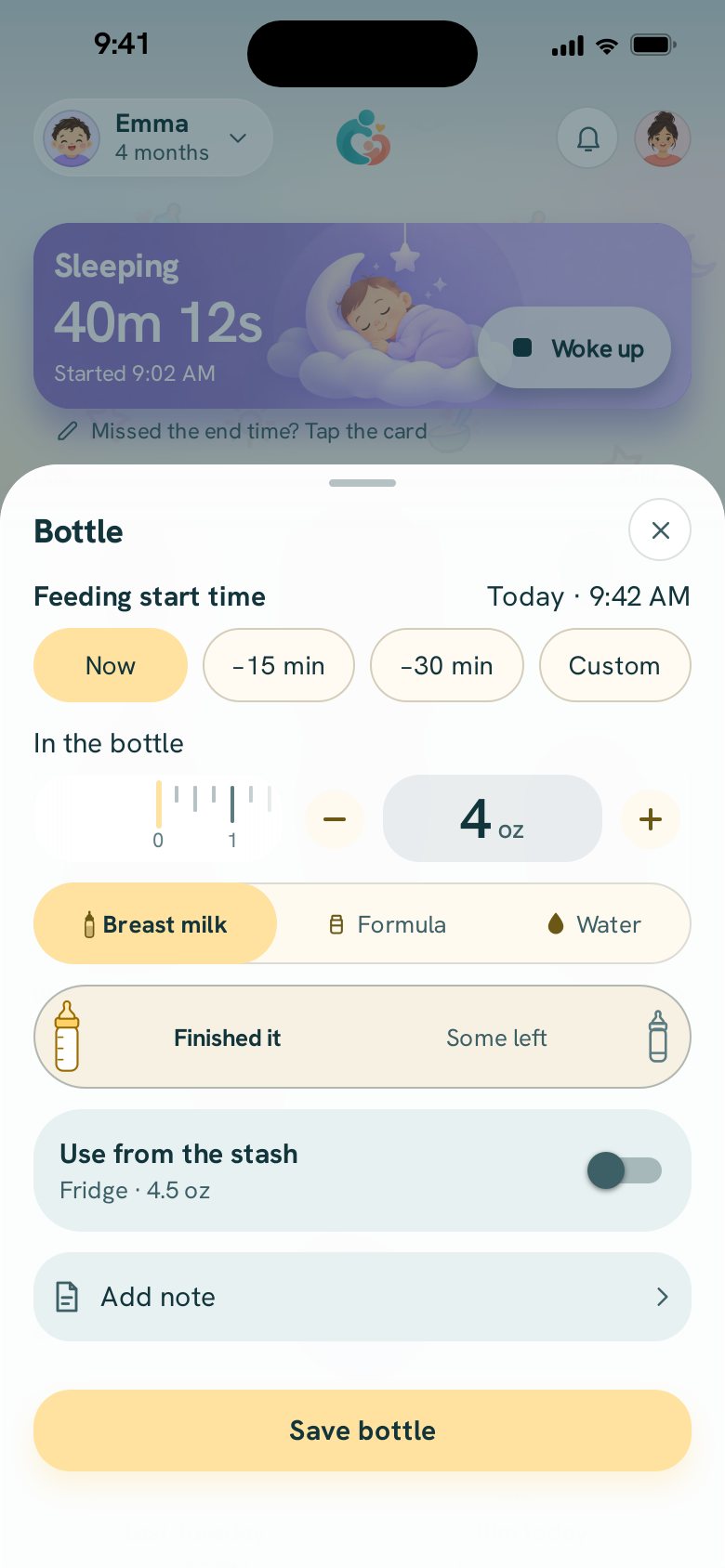
    Breast milk, formula or water: how much was in the bottle, and how much was left.

    Free
  • Pumping

    Time a session, set each side or just the total, then store it, feed it, or both.

    Free
  • Diapers

    Wet, dirty, both or dry, with a color and a rash note when you want them.

    Free
  • Sleep

    Naps and nights, sorted by the wake and bed times you set.

    Free
  • Solids

    Each food on its own line, how much, and how it went. A food that is new is marked as a first time.

    Free
  • Tummy time

    A timer and a daily goal you choose. It can become playtime as your baby grows.

    Free
  • Baths

    When it was, and whether the hair was washed.

    Free
  • Medicine, vitamins and creams

    Your own list, with the amount you enter and who gave the last one. The app never calculates a dose.

    Free
  • Temperature

    Readings as you take them, with the time.

    Free
  • Growth

    Weight, length and head circumference, kept in one place.

    Free
  • Timers you can trust

    Timers keep running through a closed app, a locked phone or a restart. Backdate, correct and undo anything.

    Free
Planning

Plan the day your way.

Reminders follow the routine you set. The Schedule shows the whole day: what is done, what was missed and what comes next.

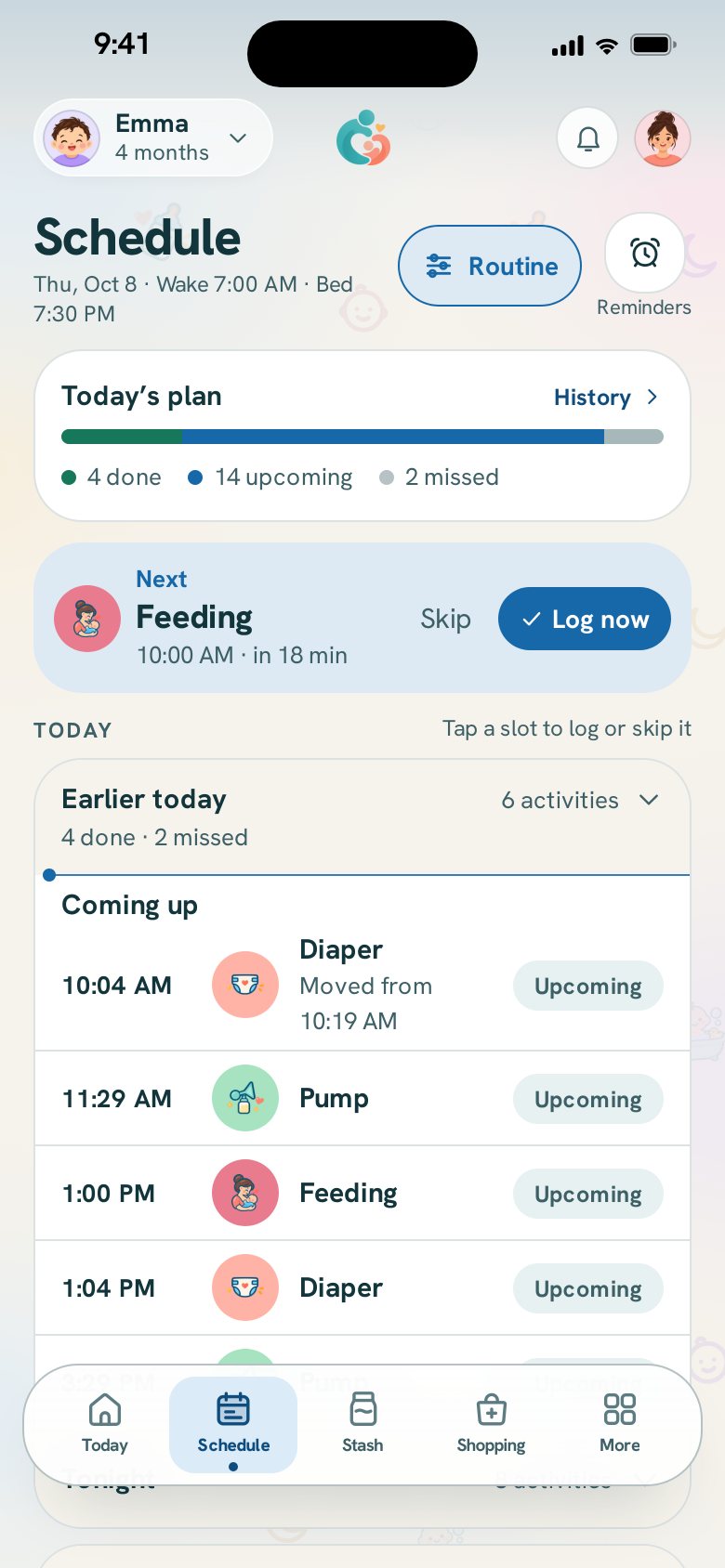
The Schedule: what is done today, what was missed, and when each next one is due.
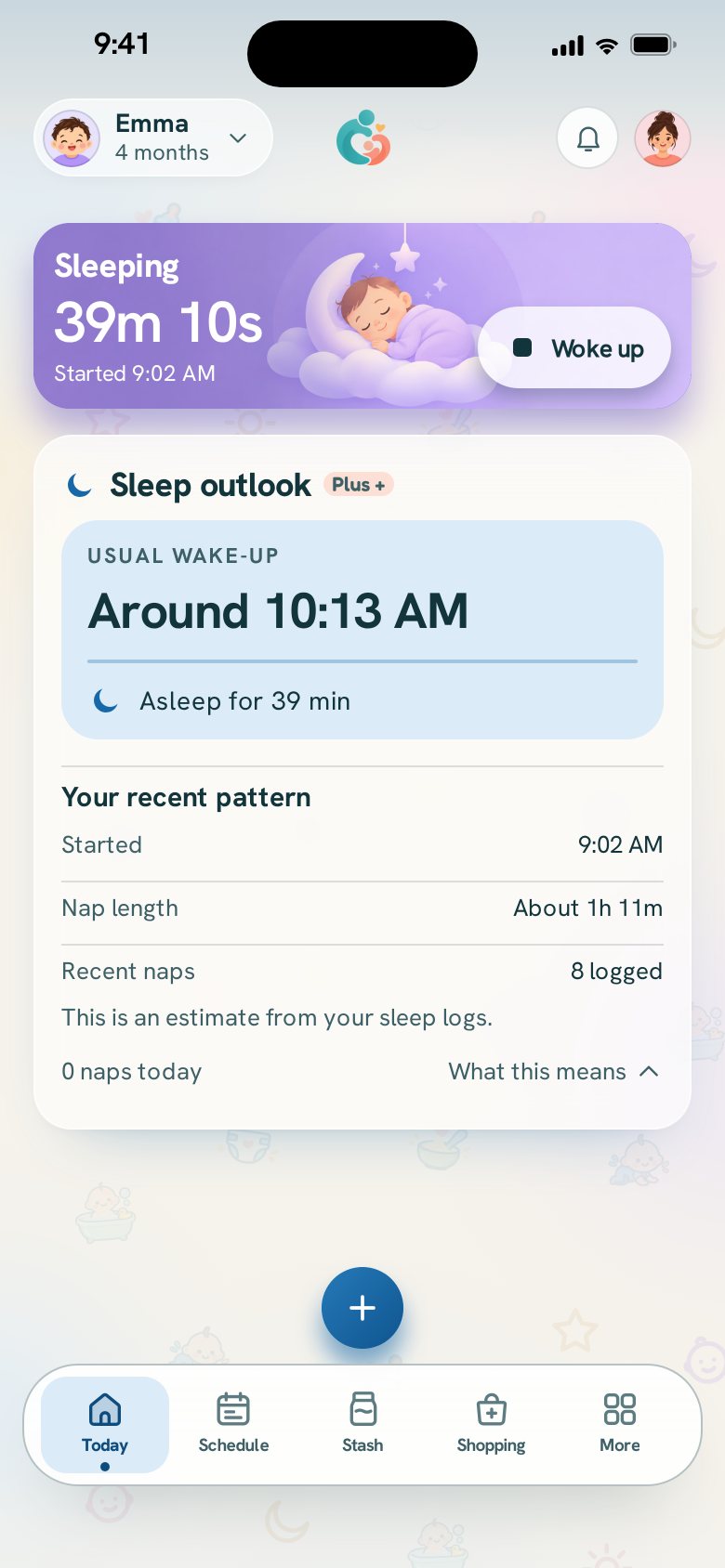
The sleep outlook while she naps: her usual wake-up time, drawn from the naps already logged.
  • Reminders, as many as you need

    At the times you choose, or a set gap after the last feed, pump or nap, with gentler rules overnight.

    Free
  • Quiet hours

    Choose the hours when reminders stay silent.

    Free
  • The Schedule

    Today’s plan with what is done and what is next, and a look at the next day.

    Free
  • Heads-ups from your own log

    A nudge before the next feed or pump, from the gaps in your own log, with how many entries it came from.

    Free
  • Nap outlook

    The next nap, estimated from your sleep log and what is usual at this age, with a heads-up before it.

    Plus
  • A schedule from your own week

    After a week, the times your household really keeps, beside what your routine says now. Nothing changes until you tap it.

    Plus
  • Saved day plans

    Keep a plan for weekdays, one for the weekend, one for daycare, and switch in one tap.

    Plus
Sharing

Share the care.

Everyone logs on their own phone, into the same day. You always know who did what, and who has the next one.

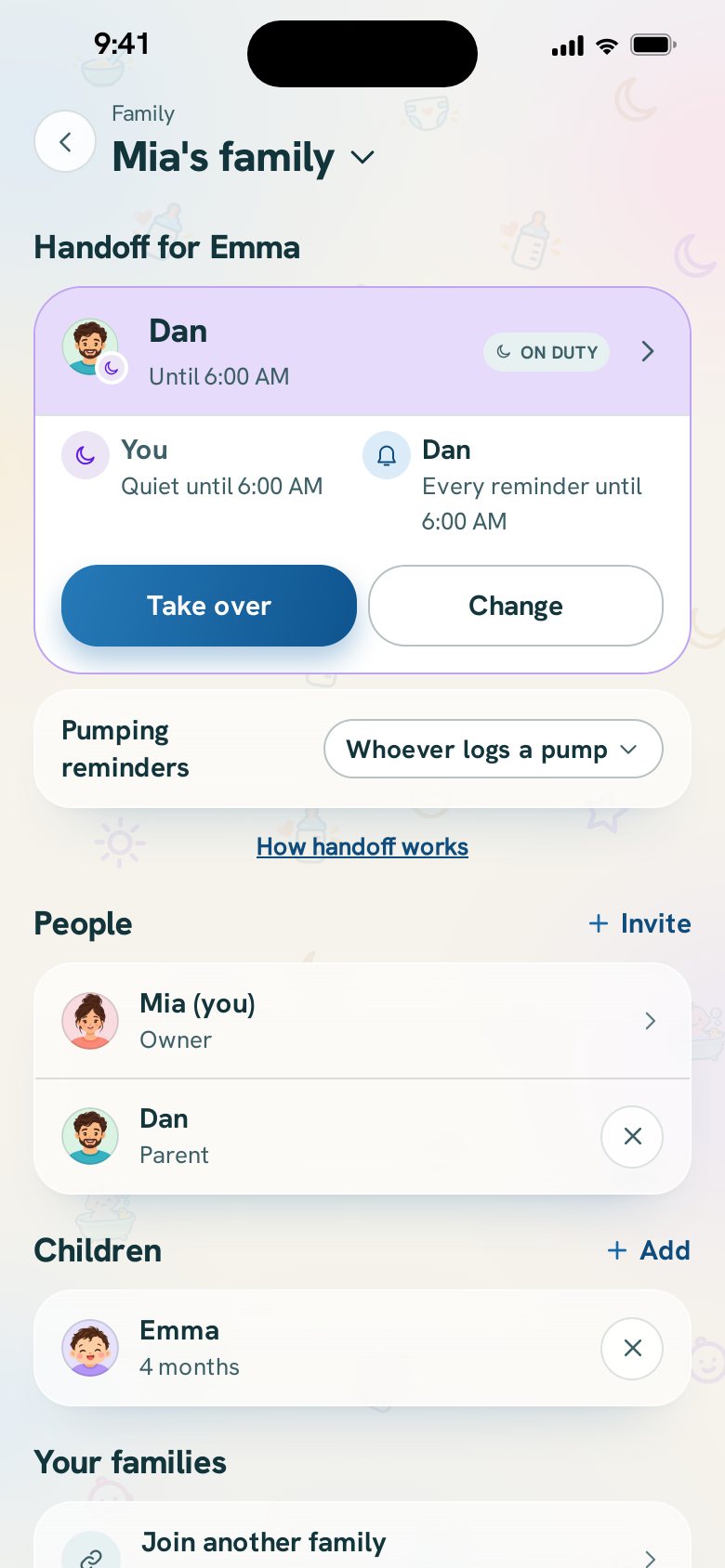
Family and caregivers: each person in the household with their role and how much they logged.
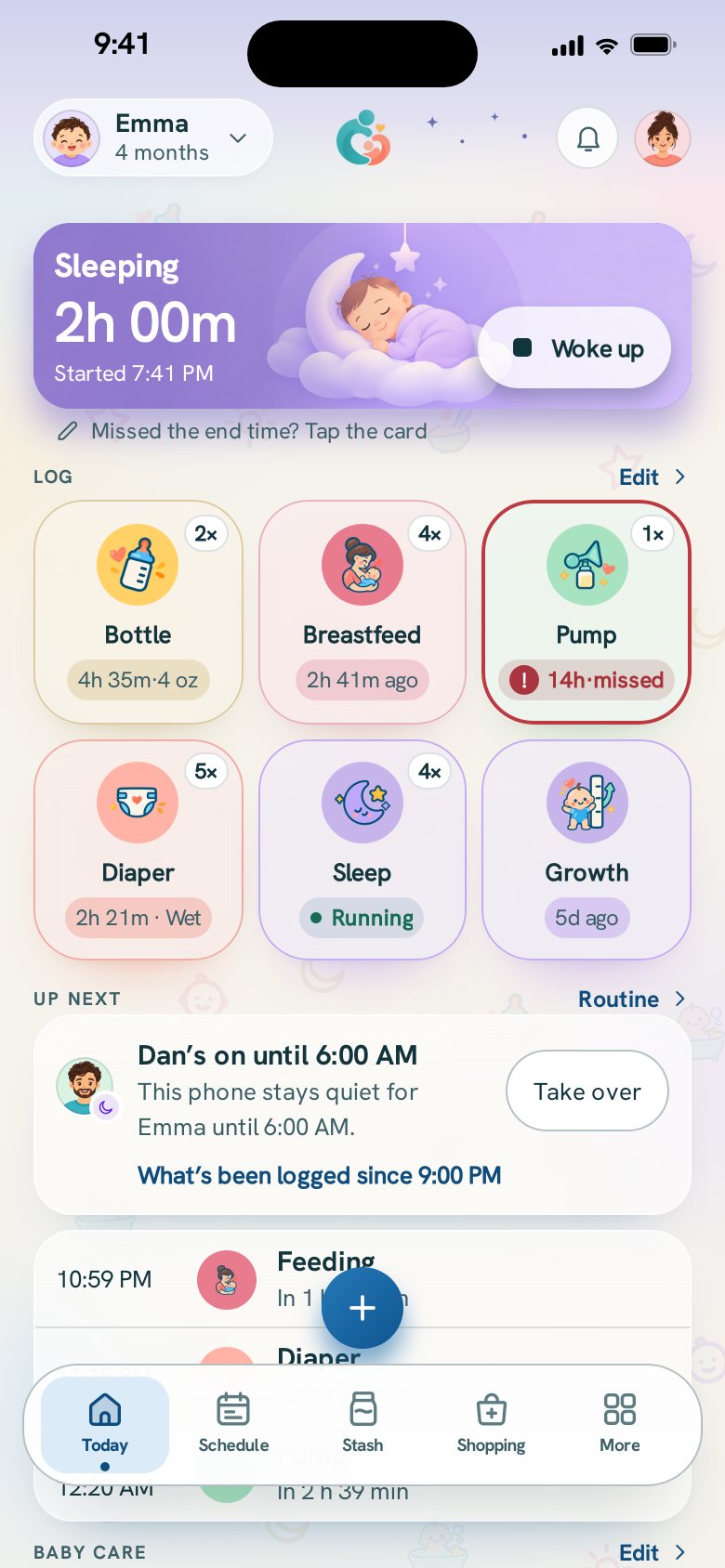
Today in the evening: Dan’s on until 6:00 AM, so this phone stays quiet while the baby sleeps.
  • Both parents, their own logins

    Each parent logs from their own phone, never a shared password, and both see the same day as it happens.

    Free
  • Who’s on

    One phone gets the baby’s reminders until the time you pick, and the others stay quiet. Take over with one tap.

    Free
  • While you were away

    Back from a nap or a shift? Today shows what was logged while you were off, and who logged it.

    Free
  • Grandparents, nannies and night nurses

    Extra caregivers, each with their own login, who log or only view.

    Plus
  • Supplies and a shopping list

    Keep track of what you buy, and add it to the list when it runs low.

    Free
  • Share the list

    Send the shopping list by message, WhatsApp or email.

    Free
  • The household checklist

    The things that need doing before the next feed, ticked off by whoever does them.

    Free
  • Community

    Read, reply, vote and suggest features to us.

    Free
  • Start a discussion

    Ask the other parents in Community a question of your own.

    Plus
Twins and triplets

Every baby, their own day.

Twins, triplets and siblings each keep their own log, plan and records. Log for one baby, or for all of them at once.

Logging a bottle: who it is for, when, how much, and what kind of milk.
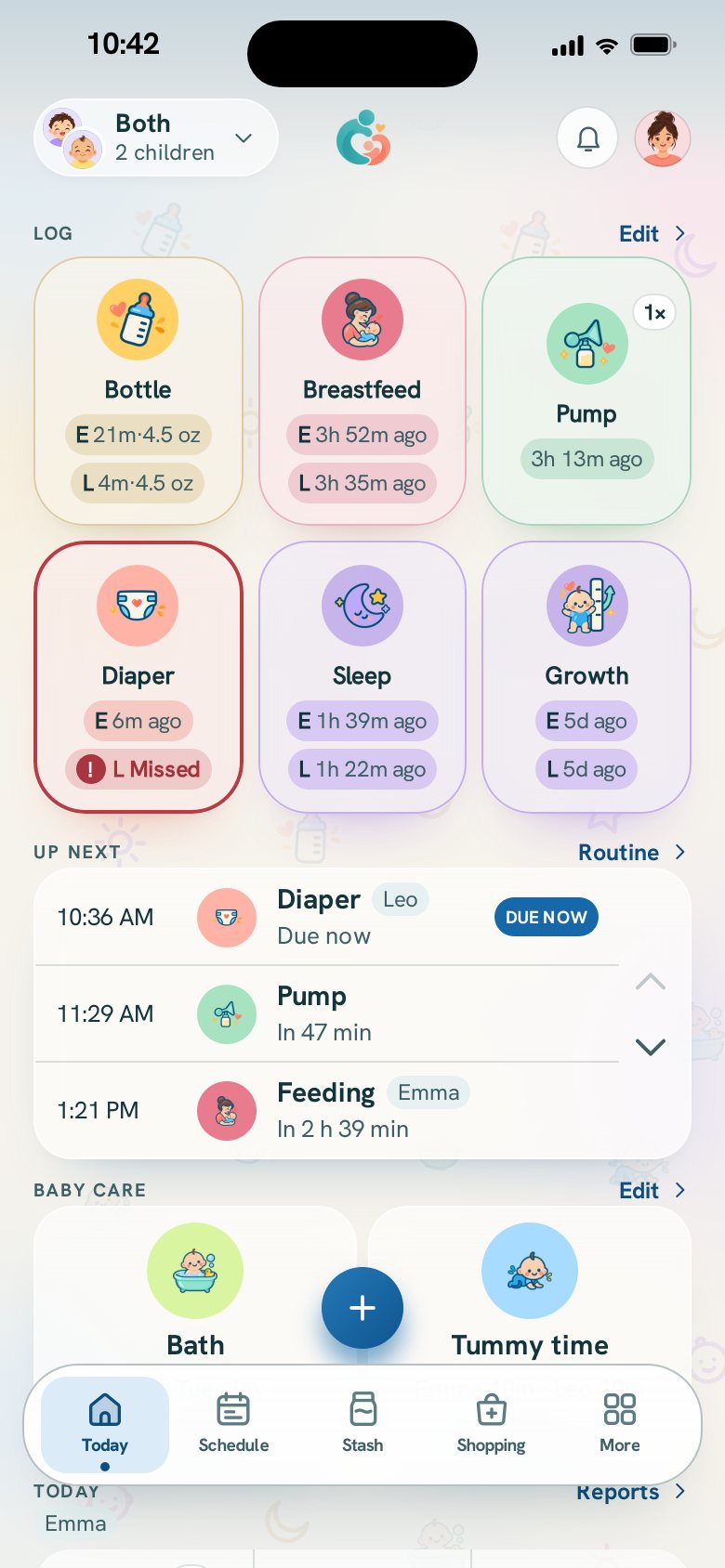
Today on Both at once: two babies’ tiles side by side.
  • Each baby, their own log and plan

    Reminders, records and totals per baby, on the free plan.

    Free
  • Both at once

    See every baby’s tiles together, give each their own timer, and log for all of them in one go.

    Free
  • Copy to the other

    Logged one baby? Log the same for the other in one tap.

    Free
Milk stash

Pumping and the milk stash.

What is in the fridge, what is frozen, what you thawed and what you used, with totals that stay right when both parents use it.

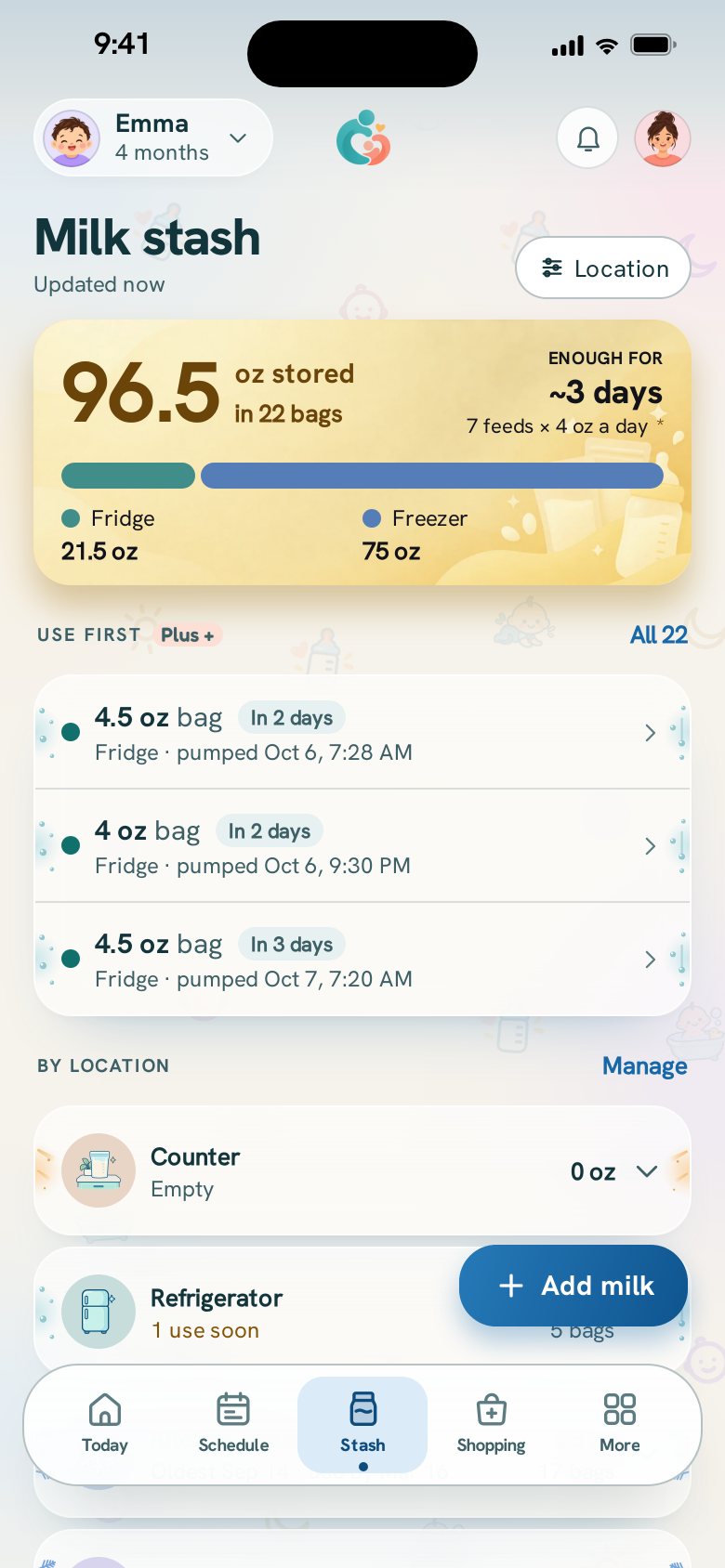
The milk stash: the total in the fridge and freezer, and the containers to use first.
  • The milk stash

    Every container, where it is, and how much you have in each place.

    Free
  • Straight from the pump

    Split a session into containers, each in its own place, or feed some right away.

    Free
  • Feed from the stash

    A bottle of stored milk comes out of the stash when you save it.

    Free
  • Both dates on every container

    From published storage guidance, shown with its source and date, and a morning reminder before milk reaches its best-use date. How long breast milk lasts.

    Free
  • What to use first

    Every container in best-use order, so the next one to use is at the top.

    Plus
Records and reports

See how the days add up.

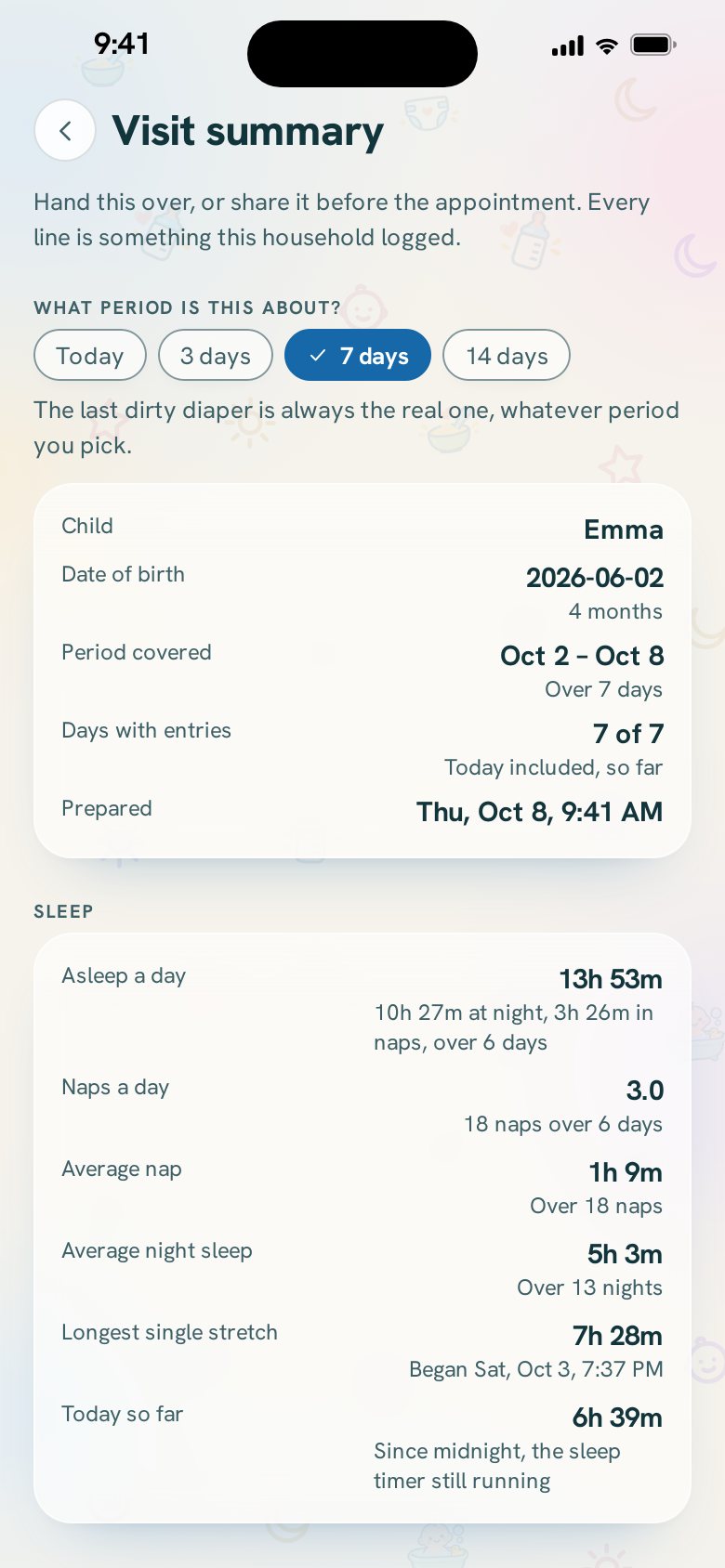
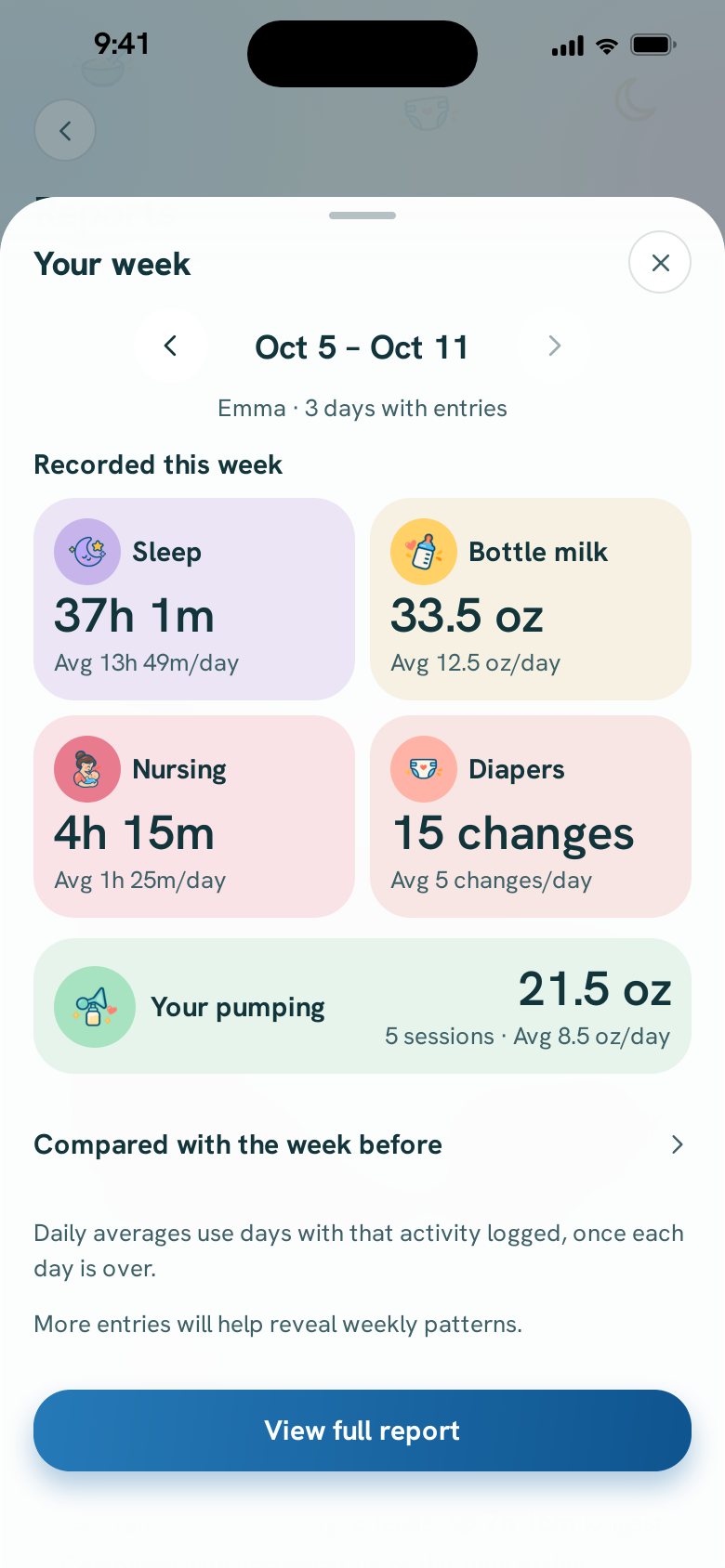
What you logged, added up. Nothing is interpreted: totals, ranges and counts, each with how many entries it came from.

The visit summary for the pediatrician: the period it covers, and sleep, feeds and diapers added up.
Your week: sleep, bottle milk, nursing, diapers and pumping added up, with the average per day.
  • Daily and weekly totals

    Feeds, sleep, diapers and pumping, beside yesterday’s, and the week’s own numbers.

    Free
  • Vaccine records

    The published schedule’s due dates with its source, the doses you record, and a reminder before each visit.

    Free
  • Your whole history

    Every day you have logged, in the app. Free shows the last 7 days, and the free download always has everything.

    Plus
  • Trends and the visit summary

    Trends over weeks, and one page to bring to the next checkup.

    Plus
  • Week to week

    Your week set beside the week before, figure by figure.

    Plus
  • Your baby’s usual windows

    When feeds and sleeps usually happen, from your own log, with how many entries it came from.

    Plus
  • The first year in print

    Your baby’s first year from your own log, as a keepsake to save and print.

    Plus
  • Before the birth, kept

    After the birth, your lists and appointments from getting ready, kept together on Reports as a keepsake.

    Plus
  • The running-low list

    The diapers, formula or wipes you usually buy again about now, from your own shopping.

    Plus
Your data

Private by design.

No ads, nothing sold, and everything you log is yours to download or delete, on any plan.

  • No ads, no data sold

    On any plan. Your log is never used to advertise to you.

    Free
  • Download all

    Every entry you ever logged, free, any time, as JSON and CSV.

    Free
  • Exports you choose

    A date range, one baby, or a PDF you can email.

    Plus
  • Bring your history with you

    Open or paste a CSV from another app, and see exactly what it found before anything is added.

    Plus
  • Delete your account

    From the app, whenever you choose. How deleting works.

    Free
Look and feel

Made for the middle of the night.

Easy on tired eyes, and quick to reach from your home screen.

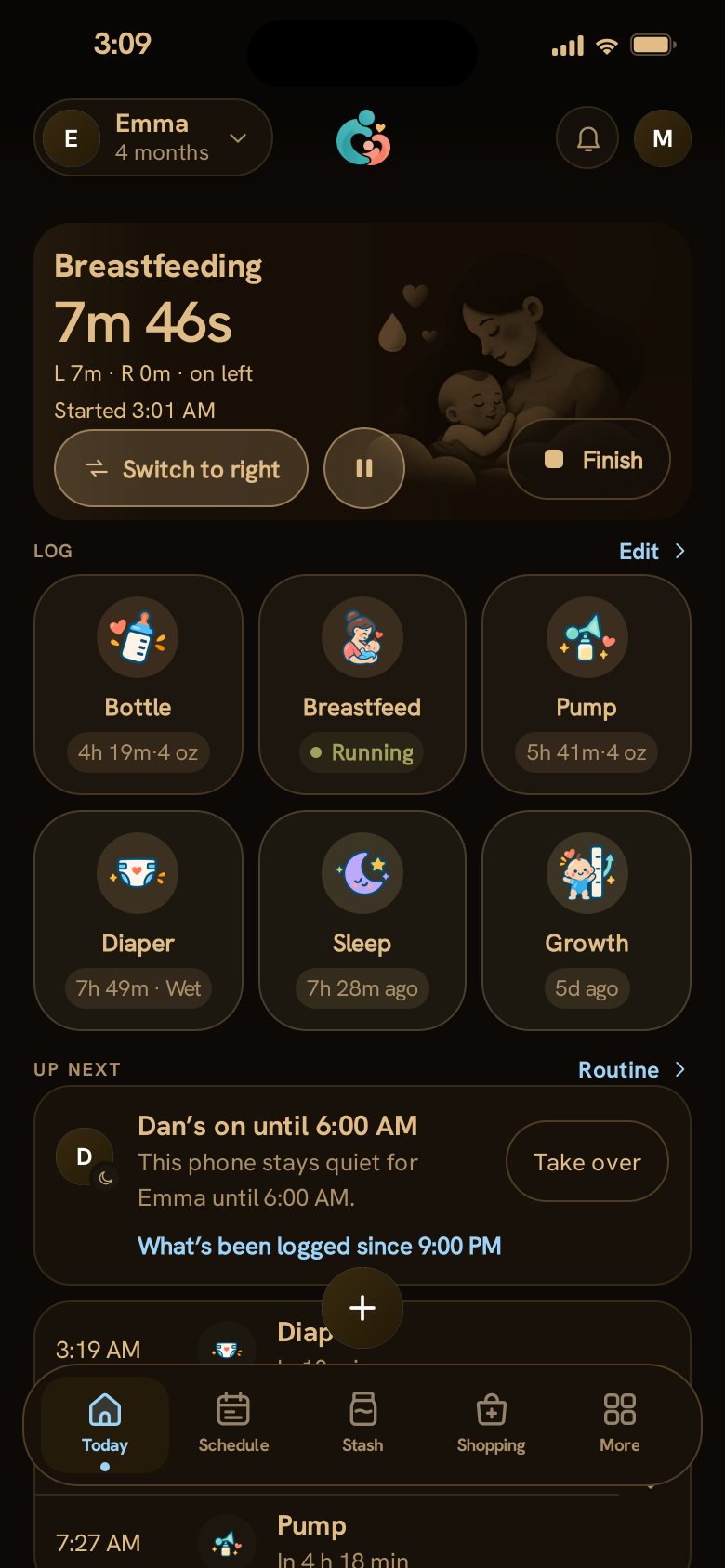
The Today screen in Night, a dim amber theme for feeding in a dark room.
  • Light and dark

    On every plan, with an automatic night mode that turns on at night by itself.

    Free
  • Your quick actions

    Choose which things sit on Today’s tiles, in the order you reach for them.

    Free
  • Night

    A dim amber screen made for feeding in a dark room without waking anyone.

    Plus
  • Colors, Opal and shapes

    Six color schemes, the translucent Opal look, more tile shapes and a log row you swipe sideways.

    Plus
  • Widgets and the live timer

    Your baby’s day on your home screen, and a running timer you can see without opening the app.

    Plus
Tablet and watch

Beyond the phone.

The same shared day on a bigger screen and on your wrist, all through the same log.

Today on a tablet lying down: the sidebar, the day’s totals, a feed and a nap timing side by side, the log shortcuts, Today’s log, Up next, the milk stash and the shopping list.

Your family’s command center

Coming in the next update

Stand a tablet on the kitchen counter or the nightstand, and the whole family’s day is there at a glance.

  • Every timer in one row
  • The day, added up
  • What’s next, and who’s on
  • One screen, no scrolling

Log from your watch

Coming in the next update

A bottle, a breastfeed, a diaper or a nap: one tap each from an Apple Watch, and Stop on a running timer. Your phone saves it into the family’s shared log.

  • When the last feed and the last diaper were, right on your wrist
  • Saved once, even with your phone out of reach: the watch shows waiting, sent and saved
  • Twins? Tap the baby’s name at the top to switch

PlusWith CuddleCue Plus, like the widgets.